


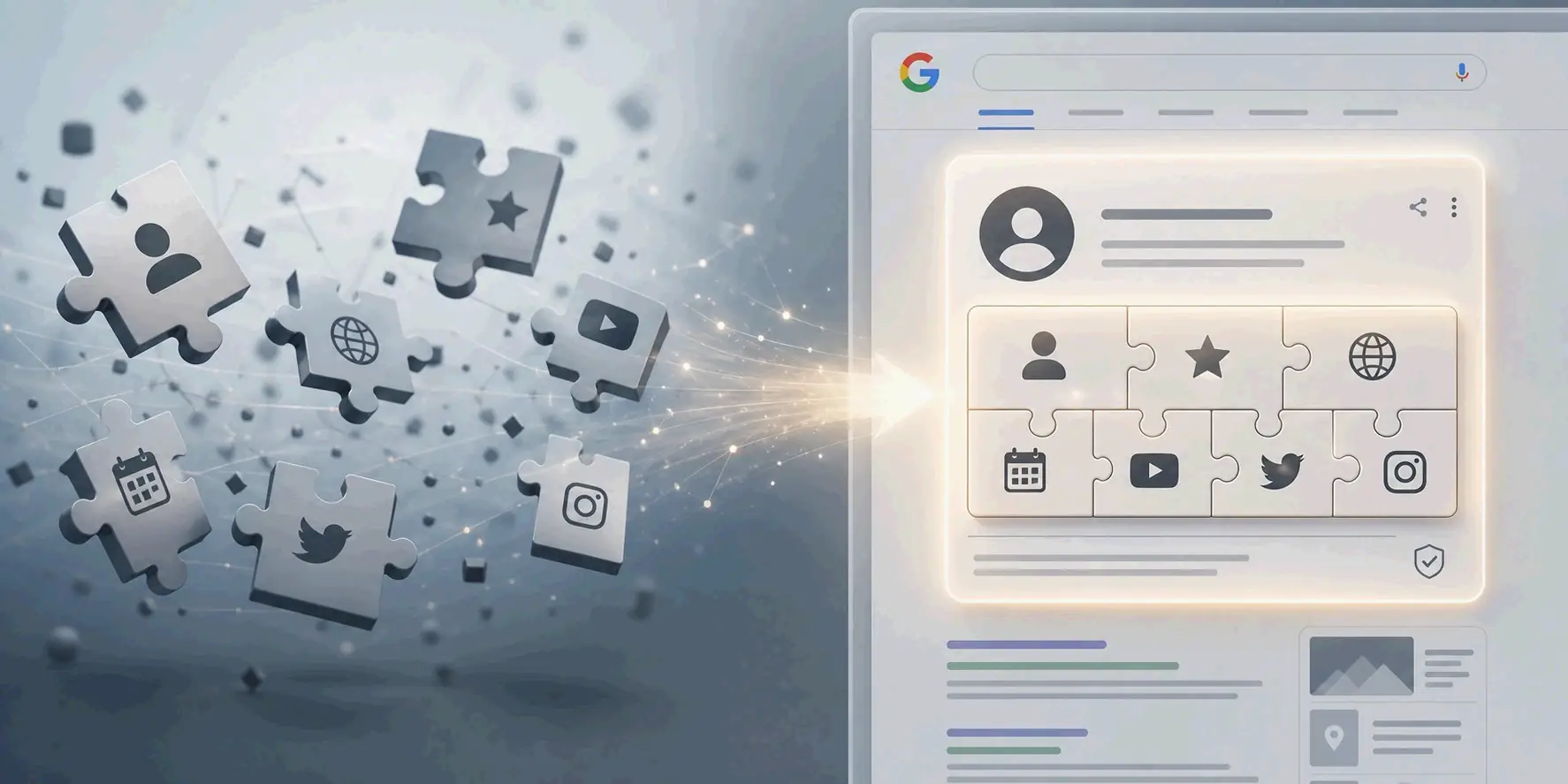
There’s no direct button for creating a Google Knowledge Panel—you earn it by building a consistent, verifiable entity. As of June 2026, the clearest path combines a well-built Wikidata entry, validated Schema markup on your entity home page, and claiming your new Google Search Profile.
Contents
- What a Knowledge Panel Really Is (and What It Isn’t)
- Step 1: Become an Entity Google Can Trust
- Step 2: Forge Your Core Identity with Wikidata
- Step 3: Build Your Digital Stronghold with an ‘Entity Home’
- Step 4: Validate with a Web of High-Authority Sources
- New for 2026: The Official Google Search Profiles Path
- How to Claim or Fix an Existing Knowledge Panel
- Conclusion
- FAQ
What a Knowledge Panel Really Is (and What It Isn’t)
A Knowledge Panel is the information box that Google shows on the right side of desktop results or near the top on mobile when someone searches for a recognized entity. It comes from Google’s Knowledge Graph and signals that Google’s systems understand who or what you are—not just that your site ranks for certain keywords. Starting your strategy with this distinction in mind keeps you focused on entity building, not quick hacks.
The Knowledge Graph itself is a massive internal database that links people, companies, places, and concepts through verified relationships. Kalicube notes that by March 2024, it contained more than 54 billion entities and 1.6 trillion facts. The panel is simply the shop window—Google surfaces selected information from the database once it has enough confidence in your entity.
Knowledge Panel vs. Knowledge Graph
These two serve fundamentally different purposes. The Knowledge Graph is Google’s internal entity map—invisible to users, built to understand meanings and connections between things. The Knowledge Panel is the visible box that shows curated data from that map when someone searches for a known entity.
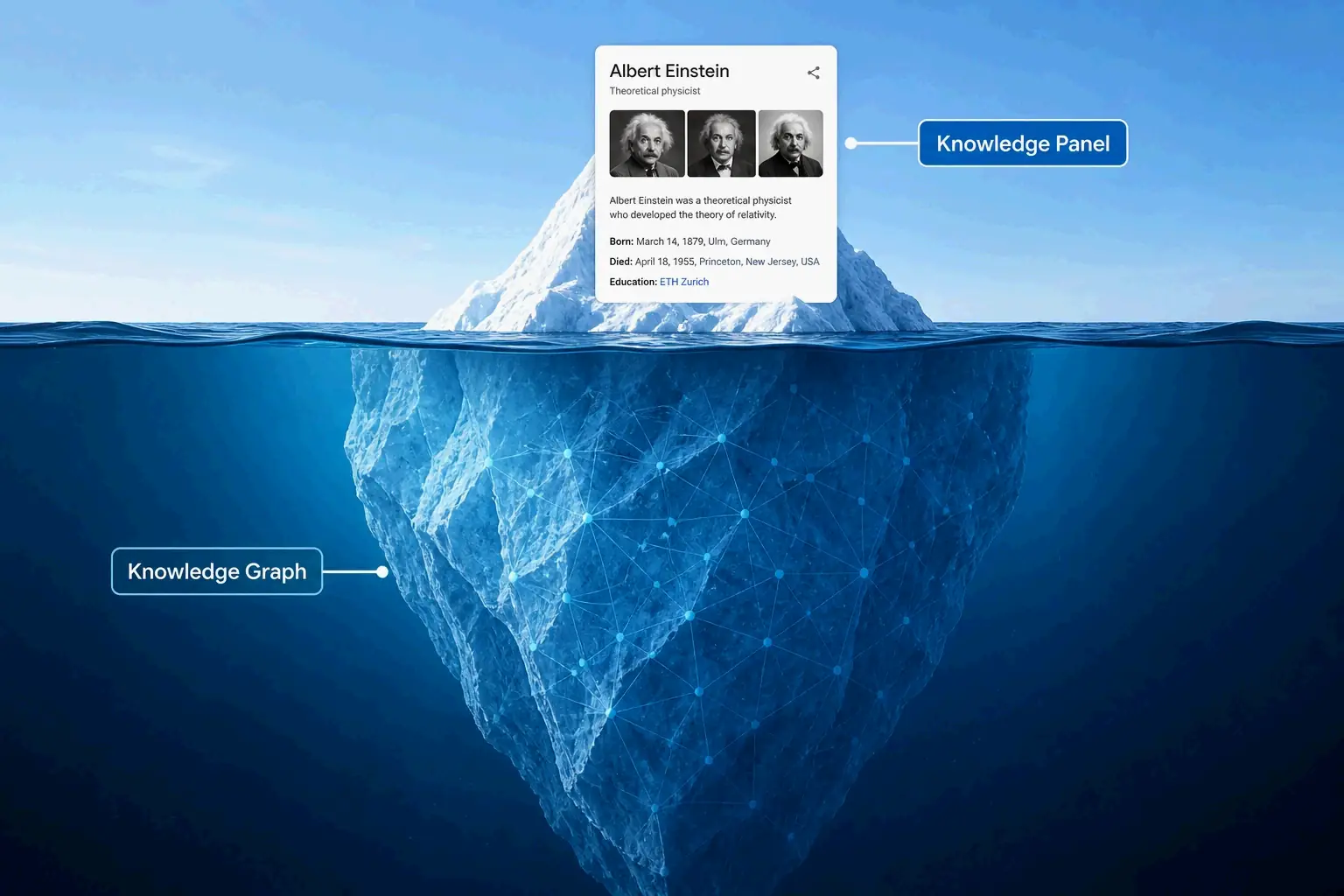
Ewelina Podrez-Siama, an SEO strategist with 17 years of experience, puts it clearly: “A Knowledge Panel is not your declaration; it is the algorithm’s answer, which appears once Google has gathered enough consistent signals to identify you unambiguously.” So your job isn’t to submit a panel request. It’s to make your entity so clear and well-documented that Google’s systems naturally surface it.
Knowledge Panel vs. Google Business Profile
People often mix these up, but they run on entirely different rules. A Google Knowledge Panel can appear for any recognized entity type—person, brand, movie, book, organization—and pulls from many verified sources. A Google Business Profile is specifically for local businesses that serve customers at a physical location or within a defined service area, and it’s what powers Google Maps and local search results.
A local company can easily have both. A public figure usually only has a Knowledge Panel. Even a software startup with no physical storefront might trigger a panel through Crunchbase, LinkedIn, Wikidata, and press coverage. Knowing the difference saves you from wasted effort. You won’t build a Knowledge Panel by tweaking your Google Business Profile categories, and you won’t show up in the local pack by creating a Wikidata entry.
The SEO Value of a Knowledge Panel in 2026
In 2026, a Knowledge Panel matters well beyond traditional branded search real estate. Violetta Bonenkamp, founder and entity SEO expert, explains that well-defined entities are easier for Google to reference, summarize, and feature in AI Overviews and Gemini-assisted answers. The panel acts as a public signal that Google can verify your entity, which boosts credibility, click confidence, and brand disambiguation.
The panel also affects how large language models describe your brand. According to an analysis by Stay Digital Marketers, entities with Knowledge Panels get represented more accurately in Google’s AI Overviews because the structured data attached to panels feeds into how AI systems learn about real-world entities. Brands lacking this structured recognition face a higher risk of being misrepresented or left out of generative AI results entirely.
Step 1: Become an Entity Google Can Trust
The single most important factor in earning a Knowledge Panel is being recognized as a distinct entity inside Google’s Knowledge Graph—not just a collection of web pages. An entity is a defined thing with attributes and relationships. It might be a person with a profession, affiliations, and credentials, or a company with a founding date, headquarters, and industry category.
Google compares signals across trusted sources to assign what practitioners informally call a “Confidence Score.” This score reflects how well Google can match attributes to one specific entity without confusion. When you search your name in the Google Knowledge Graph API and see a resultScore tied to a stable @id identifier, the system has connected your signals. Once that score passes a certain threshold and the entity seems relevant to searchers, the panel may appear.
Consistency is the core of all this work. If your LinkedIn shows one founding date, Crunchbase shows another, and your website lists a third, Google sees conflicted signals rather than a single identity. As Violetta Bonenkamp notes: “A Knowledge Panel is not a vanity badge. It is a visible output of entity trust.” That trust is earned through uniformity, not sheer volume.
Your Ultimate Entity Consistency Checklist
Before you invest time in Wikidata entries or Schema markup, audit and align these attributes across every platform you control:
- Name formatting: Use the exact same legal or branded name everywhere—website, LinkedIn, Crunchbase, directory listings, and press mentions.
- Founding date: Make sure the same year appears on your website, Wikidata, Google Business Profile, and any other platform that displays it.
- Logo and visual identity: Host one canonical logo file and use that same version across all your profiles.
- Official website URL: Point every profile’s website field to the same canonical domain.
- Short description: Write one boilerplate description of one or two sentences and deploy it consistently on your entity home, social bios, and directory listings.
- Social profiles: List the same verified accounts everywhere; delete or claim any abandoned profiles that might create confusion.
For individuals, add consistent professional designations and geographic context across all platforms—for instance, “John Smith, patent attorney, San Francisco” instead of just a bare name. This small addition helps Google tell you apart from every other John Smith in its database.
Step 2: Forge Your Core Identity with Wikidata
Wikidata sits at the intersection of structured data and machine readability, making it one of the strongest signals you can send to the Knowledge Graph. Unlike Wikipedia, Wikidata has no notability threshold—any verifiable entity can create an entry as long as the facts can be sourced. Google actively reads Wikidata to understand entities, and a well-built entry often triggers panels far faster than other signals on their own.
Violetta Bonenkamp argues that “Wikidata is often more realistic than Wikipedia, and in 2026 it looks close to mandatory for many entity-building efforts.” Real-world results back this up. Ewelina Podrez-Siama reports that her Knowledge Panel appeared just 11 hours after she finished her Wikidata entry. That speed depended on already having consistent signals elsewhere—the Wikidata entry acted as the connecting piece that let Google resolve everything into one clear identity.
A Practical Walkthrough for Your First Wikidata Entry
Follow this sequence on Wikidata:
- Create an account and spend some time getting familiar with the interface before you create any items.
- Establish notability with verifiable references—use news articles, company registrations, reputable directory entries, conference speaker pages, or published books.
- Create a new item with the correct label (your official name) and a description (a concise category, like “American software company” or “German patent attorney”).
- Add core properties with citations for every claim:
instance of(P31): pick the right type (company, person, organization)official website(P856): your canonical URLinception(P571): founding date with a referenceheadquarters location(P159): city and country with a reference- For persons:
occupation(P106),employer(P108),educated at(P69) - For companies:
industry(P452),founder(P112) - Add a
sameAsarray linking to your LinkedIn, Crunchbase, and other verified profiles. - Avoid promotional language—Wikidata editors remove unsourced or self-promotional claims quickly.
Every property you add needs a citation from an independent, verifiable source. Entries without sources get challenged and removed by community editors, which can weaken your entity instead of strengthening it.
Solving ‘Entity Ambiguity’: Ensuring You’re the Right ‘John Smith’
Entity ambiguity is one of the most common reasons panels fail to appear. When multiple entities share a name, Google’s confidence in assigning the right signals to the right entity drops sharply. Wikidata offers specific properties to fix this:
- Use disambiguation descriptions that include profession and location.
- Add geographic specificity through
place of birth,residence, orheadquarters locationproperties. - Link to external identifiers like ORCID for researchers, MusicBrainz for musicians, or Crunchbase for companies.
- Make sure your
sameAslinks in Schema markup point to your specific Wikidata Q-ID, not just a generic profile.
For individuals with common names, keeping consistent professional designations across all platforms gives Google the distinct attributes it needs. A “John Smith, founder of Acme Analytics, Boston” appearing consistently on LinkedIn, Wikidata, and his entity home page is much more likely to get correctly identified than a bare name alone.
Step 3: Build Your Digital Stronghold with an ‘Entity Home’
An Entity Home is a dedicated about or team page on your official website that works as the canonical reference point for Google’s understanding of your entity. Unlike a typical About page that tells a brand story, an Entity Home explicitly lists every attribute Google needs to verify and every connection point to external profiles. It’s where all threads come together.
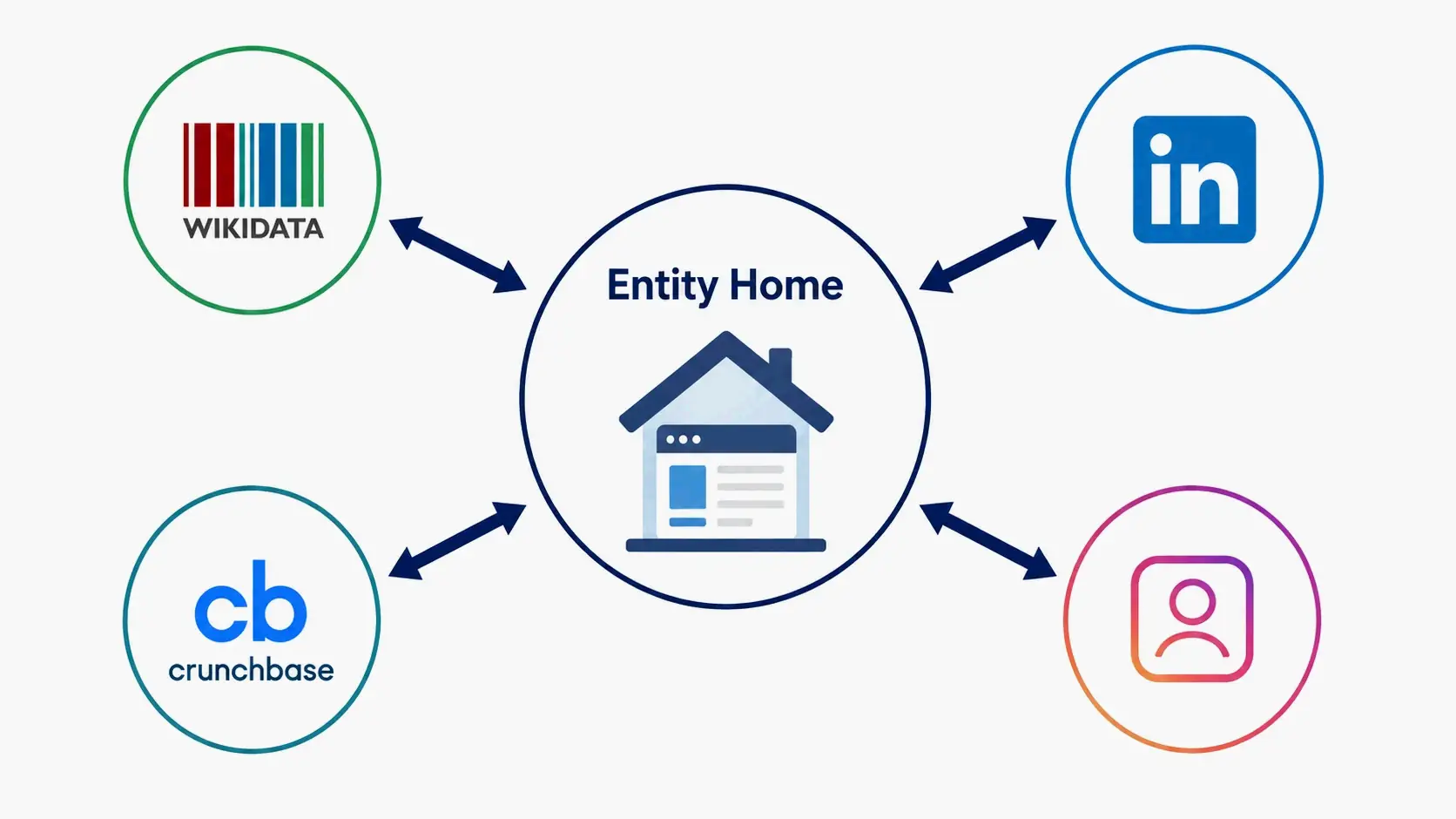
The core concept is bidirectional linking: your Entity Home links out to every verified profile (LinkedIn, Crunchbase, Wikidata, social platforms), and those profiles link back to your Entity Home. This creates a closed loop that tells Google all these signals describe the same entity.
Dr. Friederike Feil’s case shows how effective this approach can be. According to Benny Windolph, SEO expert and co-founder of HECHT INS GEFECHT, she already had a Wikipedia entry and published books but still had no Knowledge Panel. He built an author page on her website that listed all her social media presences in both visible content and Schema markup, then linked back from her social profiles to that page. A Knowledge Panel appeared within 3 to 4 days.
How to Structure Your Entity Home Page
Build the page to answer every question Google might need to resolve about your entity:
- Full official name in the H1 heading
- Description (2–3 sentences) that matches your boilerplate exactly
- Key attributes: founding date, headquarters location, industry category, founder names
- Links to all official profiles: LinkedIn, Crunchbase, Wikidata, YouTube, X, Instagram, research profiles
- Logo and images with descriptive alt text
- Contact information matching your Google Business Profile (if applicable)
- References to external coverage: links to press mentions, conference bios, published work
Ready-to-Copy Schema Code: Organization & Person JSON-LD
Add one of these templates to your Entity Home in JSON-LD format. Fill in every field marked with brackets and validate immediately using Google’s Rich Results Test. A single syntax error silently invalidates the whole block.
For Organizations:
{
  "@context": "https://schema.org",
  "@type": "Organization",
  "name": "[Official Company Name]",
  "url": "[https://www.yourdomain.com/entity-home]",
  "logo": "[https://www.yourdomain.com/logo.png]",
  "foundingDate": "[YYYY-MM-DD]",
  "address": {
    "@type": "PostalAddress",
    "addressLocality": "[City]",
    "addressCountry": "[Country Code]"
  },
  "sameAs": [
    "[https://www.linkedin.com/company/yourcompany]",
    "[https://www.crunchbase.com/organization/yourcompany]",
    "[https://www.wikidata.org/wiki/Q00000000]"
  ]
}
For Persons:
{
  "@context": "https://schema.org",
  "@type": "Person",
  "name": "[Full Name]",
  "url": "[https://www.yourdomain.com/about]",
  "jobTitle": "[Your Professional Title]",
  "worksFor": {
    "@type": "Organization",
    "name": "[Company Name]"
  },
  "sameAs": [
    "[https://www.linkedin.com/in/yourprofile]",
    "[https://www.wikidata.org/wiki/Q00000000]",
    "[https://twitter.com/yourhandle]"
  ]
}
The sameAs array is often the most underused—and most critical—property. It explicitly bridges your website to every verified profile, letting Google connect signals directly instead of through inference. Without it, the whole process works slower and less reliably.
Step 4: Validate with a Web of High-Authority Sources
Citations from trusted, independent sources in your niche act as corroboration signals. They prove your entity exists beyond your own declarations. Google looks for these references across multiple types of platforms, and the diversity of sources matters more than raw volume. According to Stay Digital Marketers, five mentions spread across five respected publications with consistent framing carry more weight than fifty recycled mentions on a single outlet.
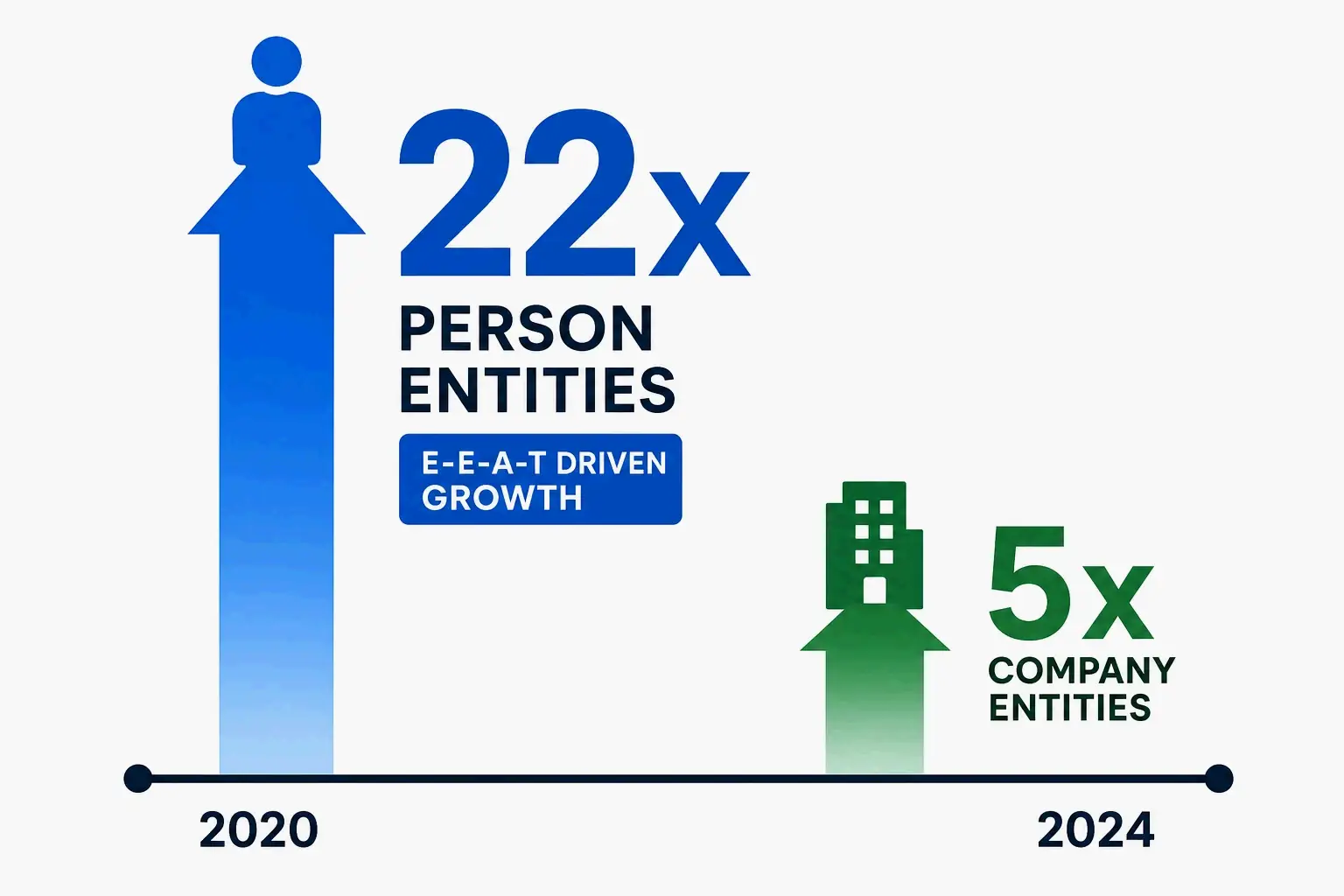
This fits broader trends in entity recognition. Search Engine Land reported that between May 2020 and March 2024, the number of Person-type entities in Google’s Knowledge Graph grew 22-fold, with a 38% surge in roles tied to E-E-A-T signals: researchers, writers, academics, and journalists. Company entities grew by only five times. That shift suggests Google is increasingly focused on verifying individual expertise, especially for knowledge workers whose authority comes from credentials, publications, and institutional affiliations.
Source Strategy for Founders & Brands
For company founders and brand entities, prioritize these sources:
- Crunchbase: keep a complete, verified profile with funding history, founding team, and industry category.
- LinkedIn company pages: make sure your official page description, industry, and employee count match your Entity Home.
- Bloomberg, Reuters, and trade journals: for executives and funded companies, these carry substantial authority weight.
- G2, Capterra, Trustpilot: for software and service businesses, they provide structured third-party validation.
- Chamber of Commerce and Better Business Bureau listings: for local businesses, these act as government-adjacent verification.
The Wikipedia question needs a direct answer. A Wikipedia article is still the single strongest signal for triggering a Knowledge Panel, but it’s usually a consequence of real-world notability rather than a starting point. Trying to create a page before enough independent coverage exists often leads to deletion and flagged accounts. As several 2026 sources agree, treat Wikipedia as a possible long-term outcome of genuine public presence, not your first tactical move.
Source Strategy for Authors, Researchers & Journalists
Knowledge workers with published work should prioritize platforms that Google specifically references for expertise verification:
- Google Scholar: create and maintain a verified profile that lists all your publications and citations.
- ORCID: register a unique researcher identifier and link it directly to your entity.
- Publisher author pages: major publishers’ author bios often feed straight into the Knowledge Graph.
- Conference and university speaker bios: .edu domains carry notable authority weight.
- PubMed, ResearchGate, or field-specific repositories: for medical, scientific, and academic professionals, these are essential.
The pattern holds across every source type. Google favors databases it already considers structured and authoritative. For knowledge workers, the path to entity recognition runs through the platforms that already define professional credibility in their fields—not through generic directories or volume-based link building.
New for 2026: The Official Google Search Profiles Path
In June 2026, Google launched Search Profiles, a new surface that publishers and creators can claim to shape how they appear on Search. This tool introduces a programmatic route for triggering or enhancing a Knowledge Panel, separate from the purely algorithmic entity-building path.
Search Profiles give eligible publishers and creators a dedicated space to showcase recent articles, videos, and social posts, plus an avatar, bio, website link, and connected social platforms. According to Ibrahim Badr, Product Manager for Search, claiming a profile “may trigger the creation of a knowledge panel for eligible publishers and creators.” If a panel already exists, claiming a Search Profile enhances it with an updated avatar and latest content.
To qualify, publishers and creators need a sizable following on at least one major social or video platform. The feature launched first in the US, and claiming is straightforward: search your entity name, access the panel or profile option, sign in with a linked Google account, and verify through your official profiles.
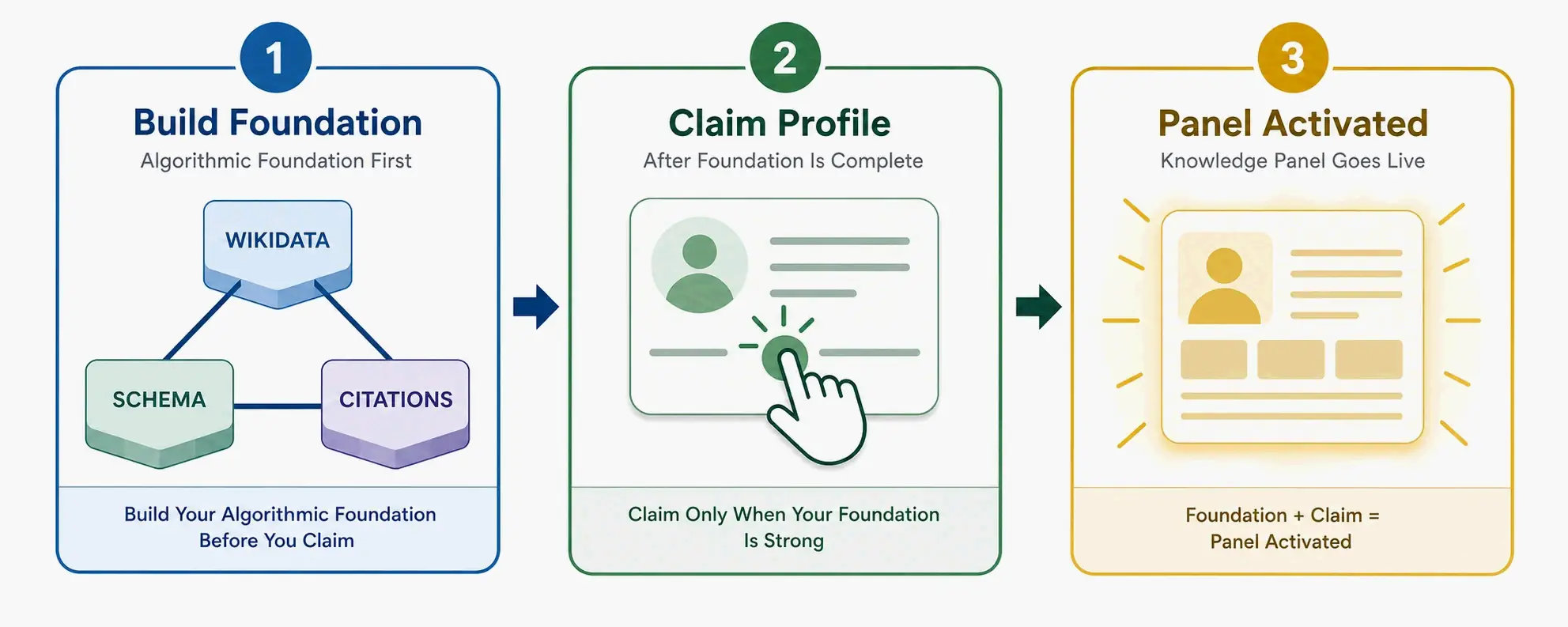
This official tool changes the game in an important way. The algorithmic path—Wikidata, Schema, citation building—is still foundational. But now Search Profiles offer a direct claiming mechanism that can speed up panel creation for anyone who has already built baseline entity signals. The smartest 2026 strategy treats Search Profiles as the capstone step: build the entity foundation first using the previous steps, then claim the profile to connect your algorithmic work to a tangible Google surface.
How to Claim or Fix an Existing Knowledge Panel
A claimed Knowledge Panel differs from an unclaimed one in one critical way: claiming lets you suggest edits and prove authorized representation, but it does not give you full editorial control. Google still decides what to display based on sourced evidence.
If a panel already exists for your entity, search for the entity name, open the panel, and click “Claim this knowledge panel” if the option appears. You’ll sign in with a Google account connected to the entity and verify your identity through official channels—typically a verified Google Business Profile, Search Console property, YouTube channel, or social accounts. Google may also request documentation like a selfie with identification, as Ewelina Podrez-Siama experienced during her verification process.
For unclaimed panels where the claim button doesn’t show up, your influence happens at the source layer. Update your Entity Home with correct information, strengthen your Wikidata entry with cited facts, and make sure every external profile reflects the accurate version. As those source signals grow stronger, Google may eventually surface the claim option or automatically update the panel based on the corrected data. When you do submit edits, always point to a public, independent source that confirms your version—Google requires evidence, not just assertions.
Conclusion
Earning a Knowledge Panel is the tangible result of a disciplined entity-building strategy—not a one-off trick or a button you press. The process follows clear logic: define your entity consistently, anchor it in Wikidata, build a canonical Entity Home with validated Schema markup, earn corroboration from authoritative sources in your field, and claim your official surfaces once they appear.
Start with your Entity Consistency Checklist and a Wikidata entry. These two steps create the foundation that everything else builds on. Then claim your official Google Search Profile to connect your algorithmic entity-building work to a tangible, manageable Google surface. Build evidence systematically over time, keep an eye on your branded search results, and let Google’s confidence in your entity compound.
FAQ
How long does it take to get a Google Knowledge Panel?
There is no guaranteed timeline. Some entities trigger a panel within hours of completing a Wikidata entry, as happened in Ewelina Podrez-Siama’s documented 11-hour case. Others appear in 3–4 days after implementing an Entity Home with Schema markup, as in Dr. Friederike Feil’s experience. For most entities, it’s a process that spans weeks or months—building consistent signals across multiple sources until Google’s confidence crosses the necessary threshold.
Do I absolutely need a Wikipedia page to get a Knowledge Panel?
No. A Wikipedia page is a powerful notability signal, but it is not a technical requirement. For many professionals and mid-sized businesses, a solid Wikidata entry, a well-linked entity home, and strong third-party citations from sources like Crunchbase, LinkedIn, industry publications, and conference bios represent a more realistic and achievable first path. Building Wikipedia too early, before independent coverage exists, often results in deletion.
What is the difference between a Google Knowledge Panel and a Google Business Profile?
A Knowledge Panel applies to any recognized entity—person, brand, movie, book, or organization—and draws from the Knowledge Graph’s understanding across verified sources. A Google Business Profile is specifically for local businesses serving customers at a physical location or service area, and it primarily powers Google Maps and local search results. A local business can have both; a public figure typically has only a Knowledge Panel.
Why would my Google Knowledge Panel disappear?
A disappearing panel usually signals that Google’s confidence in the entity has dipped below a threshold. Common causes include a key supporting source getting deleted or changed (such as a Wikidata entry removed for insufficient citations), inconsistent information across platforms that creates entity ambiguity, or a major algorithm update that re-evaluates the entity’s notability and connectivity. Keeping your source data consistent over time is the best defense against losing a panel.
