


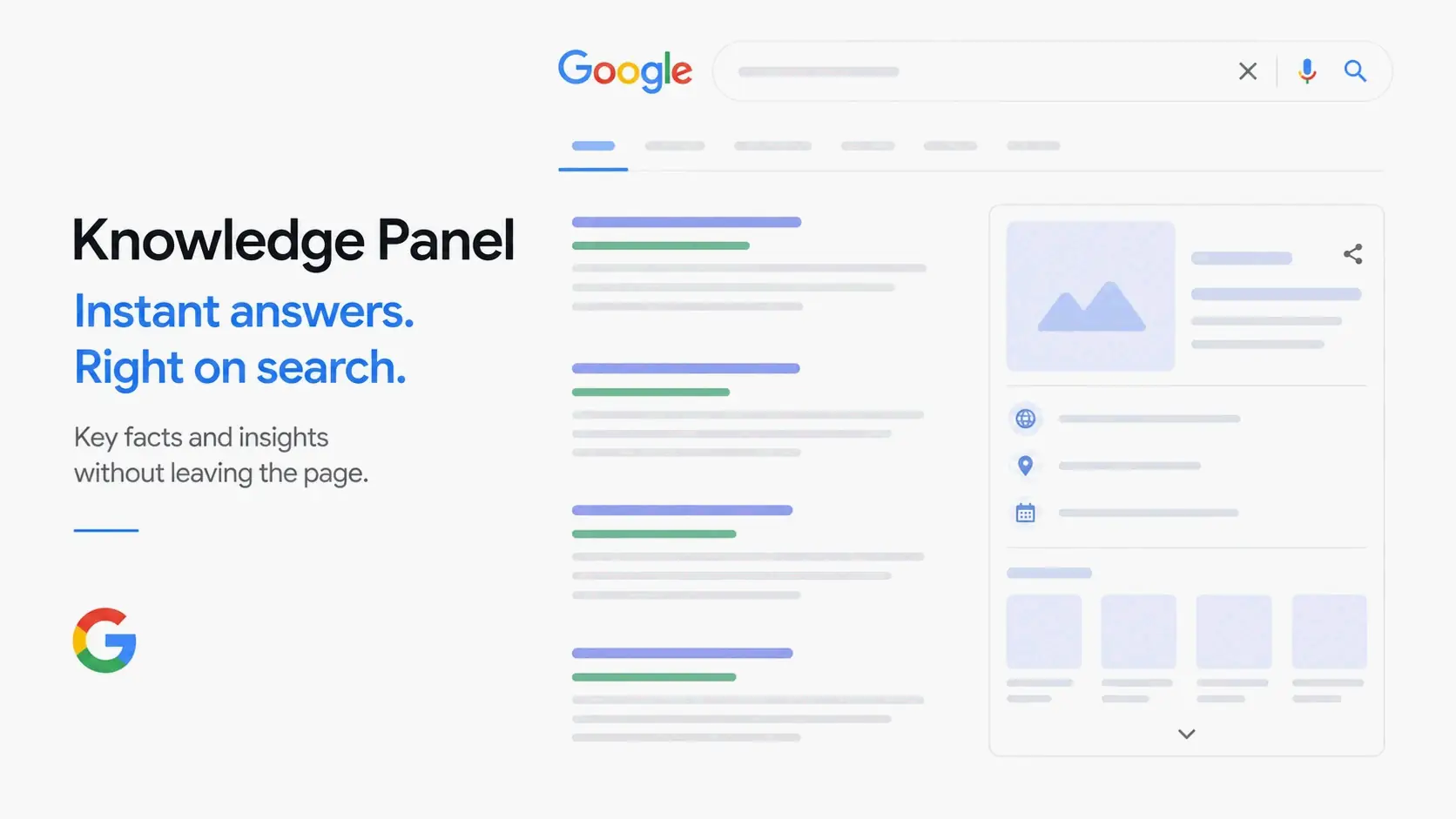
A Knowledge Panel is an information box that appears in Google search results to give you a quick, trustworthy snapshot of a well-known person, brand, or organization. It pulls its facts from Google’s Knowledge Graph, which collects and organizes data from trusted websites across the web.
Contents
- What Exactly Is a Google Knowledge Panel?
- Knowledge Panel Readiness: A Self-Diagnosis Checklist
- The Brains Behind the Box: How the Knowledge Graph Powers Your Panel
- Beyond Basic Blue Links: The Critical Role of Knowledge Panels in AI Overviews
- How to Get a Google Knowledge Panel in 2026 (Without Relying on Wikipedia)
- Knowledge Panel vs. Google Business Profile: Clearing Up the Confusion
- Pitfalls to Avoid: What NOT to Do When Trying to Get a Panel
- Conclusion
- FAQ
What Exactly Is a Google Knowledge Panel?
When you search for a recognized entity on Google, you might see a block of structured information on the right side of the desktop results — or near the top on mobile. That’s a Knowledge Panel. It’s not an ad, and you can’t request one directly. Google’s systems build a panel automatically once the company has enough confidence that an entity is real, distinct, and has a clear set of attributes.
This automatic generation is key to understanding how panels work. As Google’s own documentation explains, “Knowledge panels are automatically generated, and information that appears in a knowledge panel comes from various sources across the web” (Google, About Knowledge Panels). The panel is basically a display layer connected to the Knowledge Graph — a huge behind‑the‑scenes database of entities and the relationships among them. Think of the Knowledge Graph as the database and the Knowledge Panel as the front‑end summary.
There are two broad types of Knowledge Panels. One covers personal entities, like public figures, professionals, and creators. The other covers commercial and organizational entities, like brands, companies, and institutions. The information each type shows is different. For an individual, you might see a name, profession, biography, education, website, social profiles, and notable works. For a business, you’re more likely to see a logo, description, founding date, headquarters, founders, customer support details, and links to official online profiles. Google’s algorithms decide which trustworthy details to show based on the evidence they can find.
The Anatomy of a Knowledge Panel: What’s Inside?
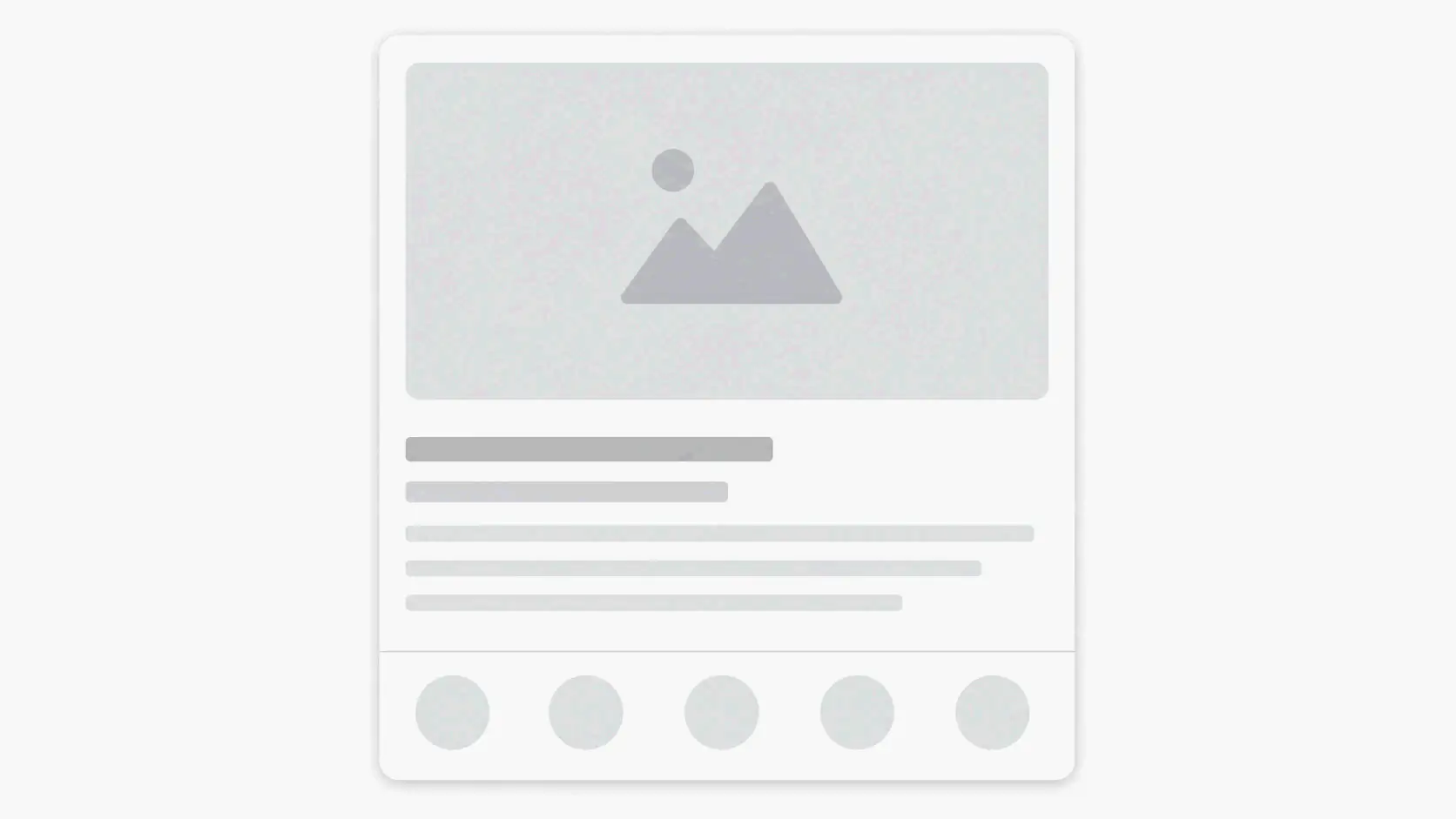
Every Knowledge Panel gives users a snapshot so they can quickly identify an entity without jumping between multiple websites. You’ll usually find a primary name and a category label (like “Entrepreneur” or “Software Company”), a short description drawn from authoritative sources, core factual details (founding date, location, awards), official website and social profile links, and a handful of images. For personal entities, Google often pulls from Wikidata, Wikipedia, and verified social profiles. For businesses, the Organization schema markup on the official website plays a big role in shaping what appears. The exact mix depends on the entity type and how much verified information Google has been able to gather.
Knowledge Panel Readiness: A Self-Diagnosis Checklist
Before you invest time and effort in trying to earn a Knowledge Panel, it’s smart to see whether your digital presence meets the basic conditions for entity recognition. The checklist below covers the foundational signals Google looks for.
- Distinct Entity Presence: Is your name or brand already showing up as a distinct entity in Google Maps, rich results, or the “People also ask” box? If a search for your name or brand returns only generic links with no entity box or map card, Google probably hasn’t built a unified entity profile for you yet.
- NAP Consistency: Are your name, address, and phone number (NAP) — and broader details like your business name, founding date, and description — exactly the same across your website, Google Business Profile, major directories, and social platforms? Even small mismatches, like “ABC Company” on one site and “ABC Co.” on another, can split your entity signal and lower Google’s confidence.
- Wikidata Entry or Wikipedia Presence: Do you have a structured Wikidata item that lists key facts about you or your organization? While a Wikipedia page is a strong accelerator, a well‑built Wikidata entry is often even more machine‑readable and can serve as a direct, structured source of truth for the Knowledge Graph.
- Authoritative Corroboration: Have independent, trusted sources — like established news sites, trade publications, or reputable industry databases — mentioned your entity consistently, with the same descriptions? Based on reputation‑management work by Kalicube (via Stay Digital Marketers), a practical directional benchmark is around 30 corroborating mentions from a diverse set of authoritative outlets.
- Structured Data on Your Site: Does your official website carry accurate Organization or Person schema markup? It should include properties like
founder,foundingDate,logo, andsameAslinks to your social profiles. This technical signal tells Google exactly how to classify and describe your entity.
If two or more of these foundational pieces are missing or inconsistent, that’s probably why a panel hasn’t shown up yet. The steps later in this guide directly address each of these readiness factors.
The Brains Behind the Box: How the Knowledge Graph Powers Your Panel
You can’t really understand Knowledge Panels without looking at the Knowledge Graph. It’s the engine that makes them possible. Google introduced the Knowledge Graph in 2012 to move search from just matching keyword strings to understanding real‑world things — what Google famously called “things, not strings.”
The Knowledge Graph is a database that organizes entities (people, places, organizations, products, events) and the relationships between them. It connects a specific person to a specific company, that company to a headquarters location, and the location to a city. These connections are often represented as nodes and edges: entities are nodes, and the relationships — “founded,” “located in,” “CEO of” — are the edges that link them.
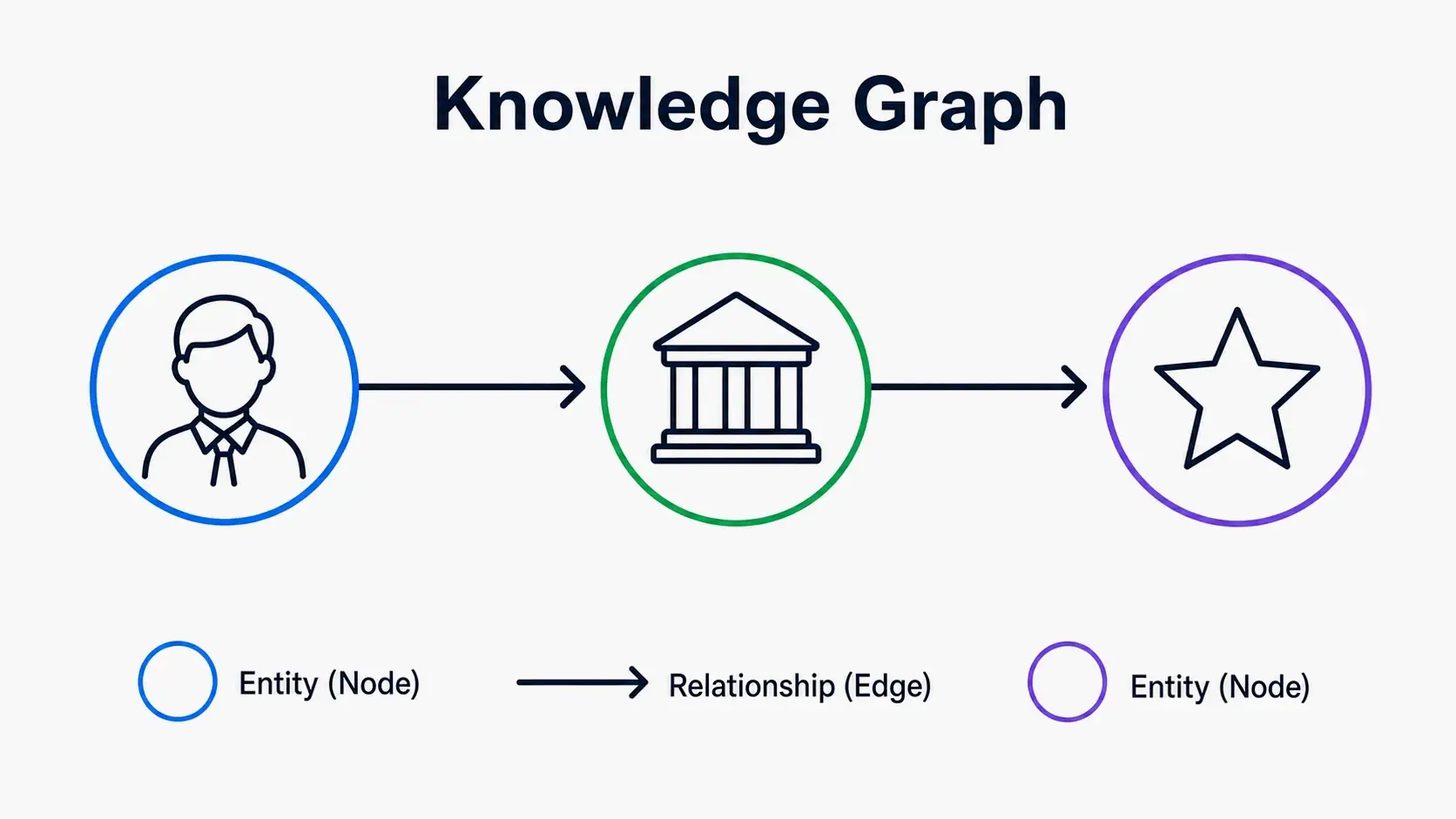
This graph structure lets Google answer queries that contain no obvious keywords. For example, a search for “capital of the country with the Eiffel Tower” returns Paris because the graph connects the Eiffel Tower to France, and France to its capital.
For a Knowledge Panel to appear, Google’s entity recognition systems first have to figure out which entity you’re talking about. That means determining that “Jane Smith” refers to one specific entrepreneur, not a different person with the same name. The system relies on a mix of signals — consistent mentions across trusted sites, structured data, and official profiles — to build enough confidence that an entity is real, distinct, and notable enough to summarize in a panel.
From Freebase to Gemini: The Data’s Evolution
The Knowledge Graph’s roots go back to Freebase, an open structured‑data platform founded by Metaweb in 2007. Google bought Freebase in 2010 and integrated its billions of facts into what became the foundation of the Knowledge Graph. In 2014, Google moved much of Freebase’s content to the Wikidata community, and today Wikidata is one of the most direct pipelines through which structured facts flow into Google’s knowledge base. At the same time, the Knowledge Graph has kept expanding its sources. It now draws from trusted databases, Schema.org markup, and verified profiles across the web. This evolution is important because it means the path to earning a panel no longer relies solely on Wikipedia. A well‑made Wikidata entry and consistent structured data can carry significant weight.
Beyond Basic Blue Links: The Critical Role of Knowledge Panels in AI Overviews
Today, the value of a Knowledge Panel reaches far beyond the classic search results page. In the age of AI‑driven search, the structured data inside the Knowledge Graph has become a primary source for AI Overviews and generative answers powered by Gemini and similar models.
When a user asks a question involving a known entity, the AI system doesn’t simply scan random web pages and try to piece together an answer. Instead, it draws on trusted, structured information from the Knowledge Graph. That means a verified, well‑populated entity in the Knowledge Graph has a much better chance of being cited accurately — and favorably — in AI‑generated answers. The reason is straightforward: structured data (like founder, headquarters, description) is far easier for a large language model to consume and trust than free‑form text from random pages. The Knowledge Panel itself remains a visual trust signal on the SERP, but the underlying data in the Knowledge Graph now feeds AI Overviews, voice assistants, and other conversational search surfaces.
For brands and individuals, optimizing for a Knowledge Panel is therefore a foundational Generative Engine Optimization (GEO) strategy. The same signals that earn a panel — Wikidata entries, Organization schema, consistent NAP data, independent citations — are what make an entity legible and authoritative to AI systems. Entities without this structured clarity risk being left out or summarized inaccurately by AI. Those with a strong Knowledge Graph presence get referenced directly. In practice, this means that reputation management and entity‑building efforts now serve dual purposes: they create a Knowledge Panel and, at the same time, increase the chances of being surfaced accurately in AI‑generated results.
How to Get a Google Knowledge Panel in 2026 (Without Relying on Wikipedia)
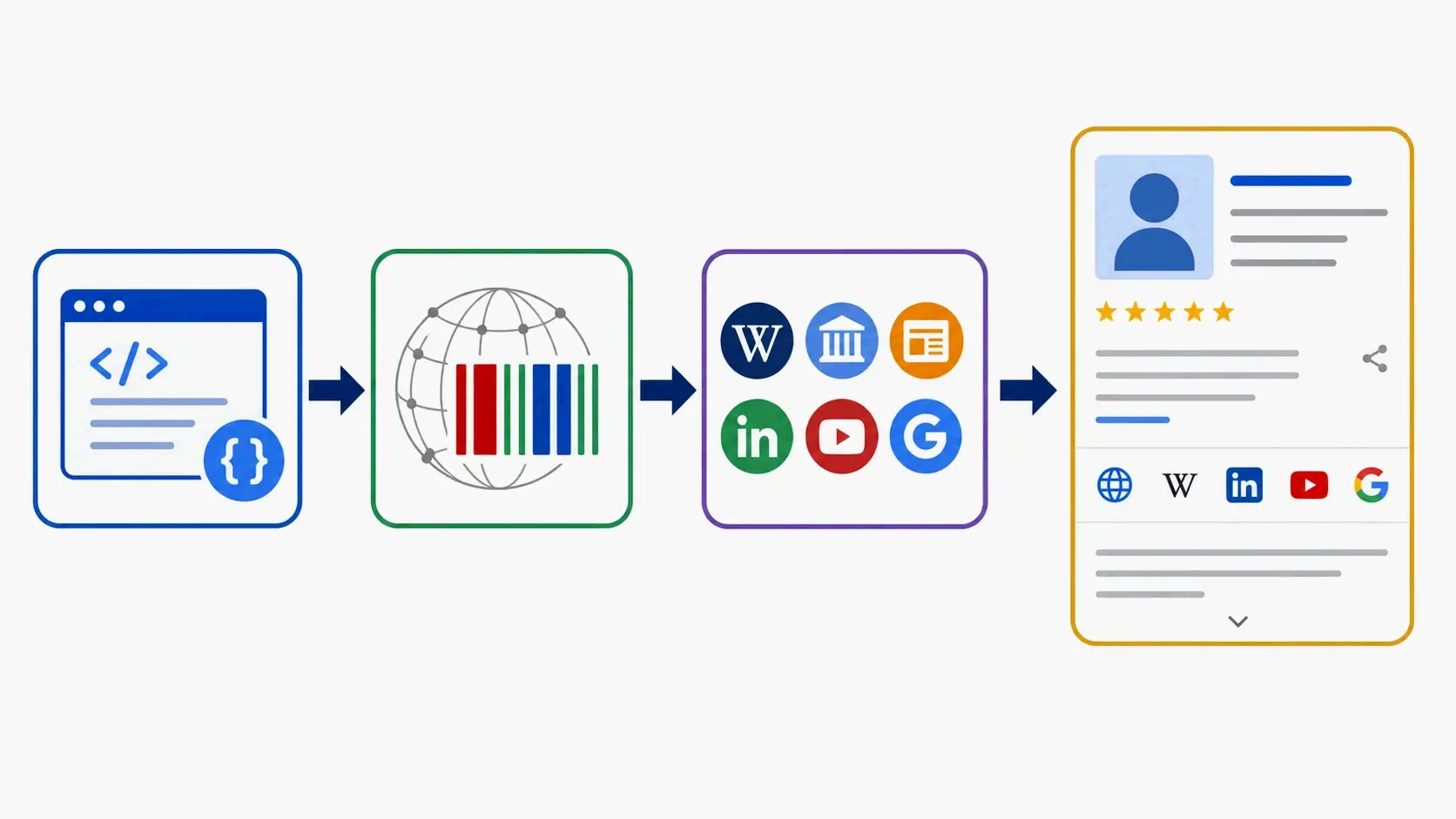
Earning a Knowledge Panel is a systematic, long‑term process. It’s not about one magic tactic; it’s about consistently reinforcing the facts across structured data, independent citations, and active profiles until Google’s confidence threshold is met. For clearly notable entities, industry sources point to a realistic timeline of about 6 to 12 months from the start of consistent citation‑building work to panel appearance (Nadernejad Media). The steps below lay out a practical path that works for small and mid‑sized businesses, personal brands, and founders — without depending on a Wikipedia page.
Step 1: Create a Clear Entity Home with Schema Markup
Your official website needs to act as the definitive source of truth about your entity. Start by implementing solid Schema Markup on the homepage or a dedicated “About” page. Use the Organization or Person type, and fill in key properties like name, description, foundingDate, founder, logo, and sameAs. The sameAs property should point to verified profiles on LinkedIn, Twitter, Wikidata, Crunchbase, or other authoritative sites. When the information in your schema exactly matches the visible page content, it sends a clean, unambiguous signal to Google’s crawlers. If there are discrepancies between the markup and the page copy, Google may ignore the structured data entirely — and that weakens one of your strongest entity signals.
Step 2: Establish Ground Truth on Wikidata
Wikidata is a machine‑readable, structured database that feeds directly into the Knowledge Graph. Creating a Wikidata item for yourself or your business takes about 30 minutes and is one of the highest‑leverage actions you can take. The item should include a clear label, a description, and statements with reliable references — such as your official website, press mentions, or industry databases — for facts like occupation, place of birth, founding date, and headquarters. Once accepted, this item provides a persistent, structured “ground truth” signal. Unlike a Wikipedia article, which can be edited by anyone and is subject to strict notability guidelines, a Wikidata entry is more directly controllable and can significantly accelerate entity recognition.
Step 3: The Citation Strategy for Earning Entity Trust
Google needs to see your entity referenced consistently across multiple independent, authoritative sources — not just one big mention, but a pattern of corroboration. According to Kalicube, a directional benchmark is roughly 30 corroborating mentions from trusted third‑party sources (via Stay Digital Marketers). The focus should be on source diversity: five mentions across five independent trade publications, news sites, and niche blogs with consistent descriptions carries more weight than fifty recycled mentions from a single outlet. This means actively looking for chances to do guest interviews, contribute articles, get company profiles on recognized directories, and be included in industry studies. Every high‑authority citation that names your entity — with the same name, same role, and same core facts — boosts the Knowledge Graph’s confidence.
The broader process also demands strict NAP consistency across all major directories, social profiles, and listings. Any deviation, like slightly different job titles, abbreviated business names, or differing founding years, can cause Google to treat those mentions as separate entities. Keep the core facts identical everywhere your entity appears, and regularly audit your profiles for drift.
Knowledge Panel vs. Google Business Profile: Clearing Up the Confusion
People often mix up Knowledge Panels and Google Business Profiles, but they serve different purposes and work on different mechanisms.
| Aspect | Knowledge Panel | Google Business Profile |
|---|---|---|
| Purpose | Gives an informational snapshot of a recognized entity (brand, person, organization) | Manages a local business’s presence on Google Maps and local search |
| Data Source | Knowledge Graph (Wikidata, Schema, trusted sources) | User-supplied business information, verified via Google Business Profile |
| Control Level | Automatically generated; limited claim ability to suggest edits | Direct management via Google Business Profile dashboard |
| Key User Intent | Identify, research, and verify an entity’s authority | Find location, hours, reviews, and contact info for a nearby business |
A local Knowledge Panel often builds on top of a verified Google Business Profile, especially for location‑based businesses. A branded or personal Knowledge Panel, though, draws on a broader mix of Wikidata, Schema, and independent citations rather than location data alone. A small local business can have a Google Business Profile without earning a true Knowledge Panel; earning a full panel typically requires notability and citations beyond a single service area.
Pitfalls to Avoid: What NOT to Do When Trying to Get a Panel
A few common mistakes can delay or even derail the process of earning a Knowledge Panel, even when the foundational work is otherwise solid.
- Don’t buy links or pay for a Wikipedia page. Google doesn’t sell Knowledge Panels. If you pay for a guaranteed panel — for example, a $7,500 service like the one offered by Local Service Spotlight — what you’re really funding is the execution of the strategies described in this guide. Know that a paid provider is implementing organic methods; a promise of a “guaranteed” panel doesn’t bypass Google’s algorithmic requirements.
- Don’t create a flood of low‑quality citations in a short period. A sudden wave of directory submissions or press releases looks unnatural and can be ignored or even flagged as manipulative. Build citations at a steady pace.
- Don’t try to game Wikidata with unverifiable claims. Every statement on a Wikidata item must be backed by a reliable, published source. Adding made‑up credentials or exaggerated facts can damage your credibility across the Knowledge Graph.
- Don’t confuse claiming a panel with earning one. If a panel appears, you can claim it and suggest edits. That doesn’t mean you can create one from scratch by claiming nothing. The panel has to exist first.
Conclusion
A Knowledge Panel represents Google’s algorithmic recognition that an entity is real, distinct, and authoritative. Earning one isn’t about a single tactic or a shortcut; it’s the natural result of a disciplined entity‑building strategy — consistent naming, structured data, earned press coverage, and accurate information everywhere your brand or name appears. That same foundation is exactly what makes an entity discoverable and trustworthy in AI‑powered search. Start by auditing your current digital footprint against the readiness checklist, then systematically implement your entity home with Schema.org markup and a Wikidata entry. Treat consistency and corroboration as your most powerful tools, and view the panel as a living asset you’ll maintain over time.
FAQ
Can I pay Google to create or boost my Knowledge Panel?
No. Knowledge Panels are purely organic and algorithmically generated. Paying for ads does not influence panel creation. Services that claim to guarantee a panel for a fee are implementing the same strategies described in this guide; Google does not sell panel placement.
Is a Wikipedia page absolutely necessary to get a Knowledge Panel?
No. A Wikipedia page is a strong signal but not mandatory. A well‑structured Wikidata entry combined with consistent media citations and schema markup can be sufficient. For many businesses, Wikidata is a more controllable and equally powerful alternative.
How long does it typically take for a Knowledge Panel to appear?
Industry benchmarks suggest planning for a 6‑ to 12‑month window from the point when consistent citation‑building and structured data work begin. The timeline depends on existing digital authority, source diversity, and how quickly Google processes new signals.
What should I do if my Knowledge Panel contains incorrect information?
Click the “Suggest an edit” or “Claim this knowledge panel” link on the panel itself. Identify and correct the root source — such as a Wikidata statement or an outdated profile — and then request a re‑crawl via the panel interface with supporting evidence.
How is a Knowledge Panel different from a Google Business Profile?
A Google Business Profile is a dashboard for managing a local business listing on Maps and local search. A Knowledge Panel is an informational snapshot generated from the Knowledge Graph that covers entities like brands, people, and organizations, regardless of local presence.
