


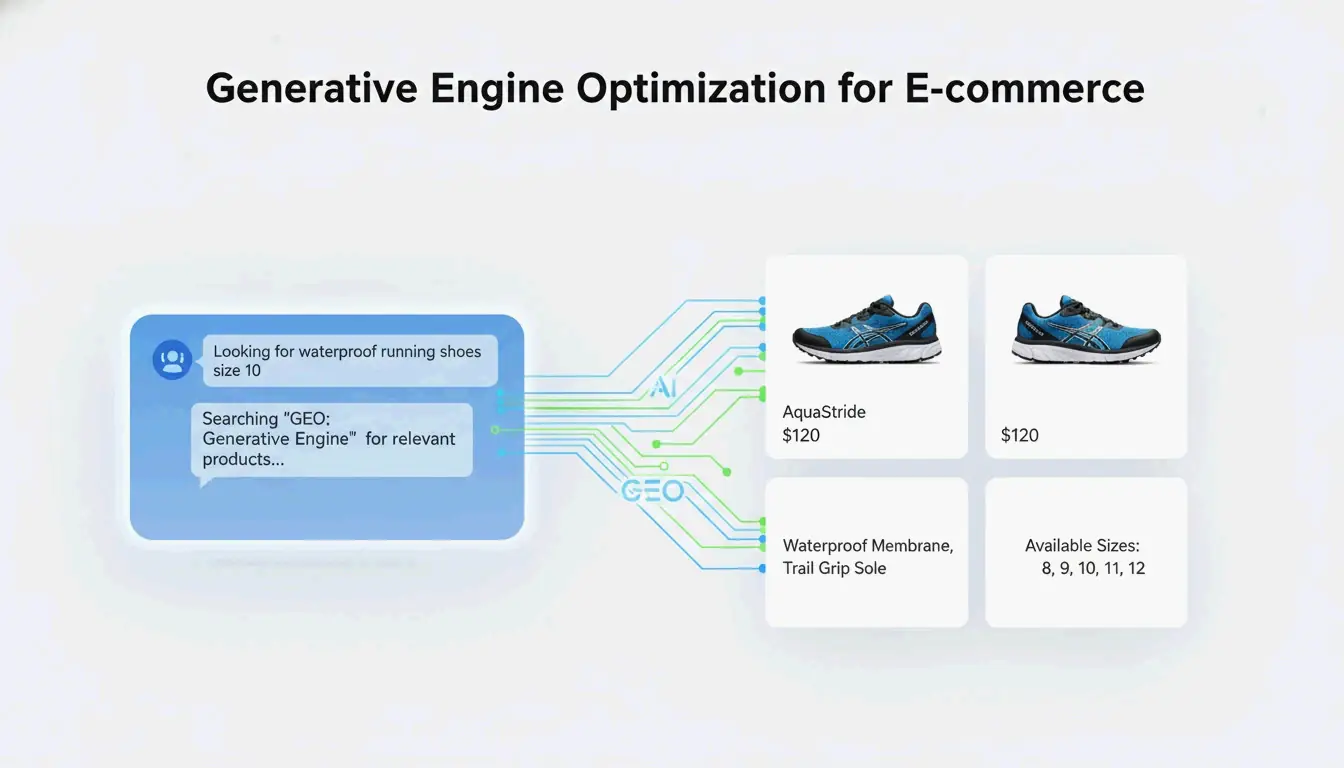
Generative Engine Optimization (GEO) is the practice of making your product data and content easy for AI-powered search engines to find, cite, and recommend. Unlike SEO, which focuses on keyword rankings, GEO prioritizes machine-readable structure. This playbook covers the technical foundations, platform-specific strategies, and a 30-day execution plan to boost AI visibility in ChatGPT, Google AI Overviews, and Amazon Rufus. For a broader cross-industry foundation, see our GEO for SaaS: Complete Playbook.
Contents
- 1 Why GEO Is the New SEO for Ecommerce in 2026
- 2 The Technical Core of GEO: RAG, Structured Data, and Product Feeds
- 3 How GEO Differs From SEO, AEO, and Agentic Engine Optimization
- 4 Platform-Specific GEO Playbook: ChatGPT, Google AI Mode, and Amazon Rufus
- 5 Optimizing Product Detail Pages (PDPs) for AI Visibility
- 6 The 30-Day GEO Implementation Plan (From Audit to Launch)
- 7 Measuring GEO Success: A Reusable Dashboard Framework for Share of Voice & AI Referral Traffic
- 8 GEO on a Shoestring: A Budget-Friendly Starter Playbook for Small Ecommerce Teams
- 9 Essential GEO Tools and Key Resources
- 10 Conclusion: Securing Your AI Shelf Space Today
- 11 FAQ
Why GEO Is the New SEO for Ecommerce in 2026
Search isn’t just about blue links anymore. More people are turning to AI chatbots and virtual agents for product discovery, bypassing traditional search engines. According to Gartner, search engine volume is expected to drop 25% by 2026 as users shift to AI-powered answer engines. Alan Antin, Vice President Analyst at Gartner, put it this way: “Generative AI solutions are becoming substitute answer engines, replacing user queries that previously may have been executed in traditional search engines.”
The impact on ecommerce is already showing up. A BigCommerce survey found that 67% of ecommerce leaders have noticed a measurable drop in organic search traffic and are actively adapting. Meanwhile, Shopify’s 2025 Global Holiday Report revealed that 64% of shoppers are likely to use AI when making purchases — and that number jumps to 84% among 18-to-24-year-olds.
GEO isn’t optional anymore. For ecommerce brands that want to stay visible as shoppers move from search bars to conversational queries, it’s a competitive necessity.
The Technical Core of GEO: RAG, Structured Data, and Product Feeds
GEO rests on three technical foundations that determine whether AI systems can find, understand, and recommend your products.
Retrieval-Augmented Generation (RAG) as the Foundation
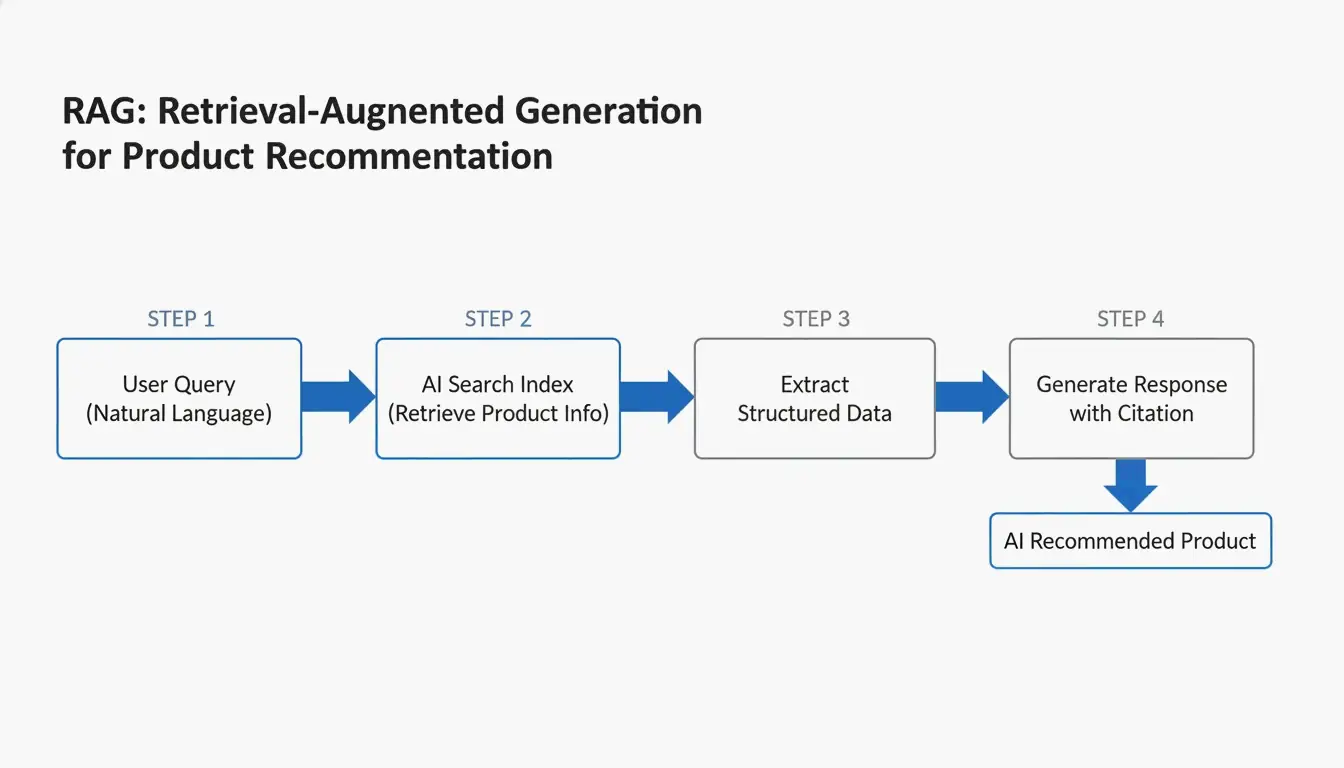
RAG is the process that powers how generative engines answer shopping queries. When a user asks something like “What are the best lightweight running shoes for flat feet under $150?”, the AI engine quickly searches its index, pulls relevant chunks of information from various sources, and uses a large language model to craft a custom answer. It then cites the sources it used.
This means your product data has to be structured so the AI can find it, extract the right details, and use them in a recommendation. If your product descriptions are vague or your specs are buried in JavaScript, the AI will skip you and cite a competitor. Ecommerce brands like Nexus Apparel saw a 34% conversion lift after implementing a RAG-based AI assistant that vectorized their product catalog, technical manuals, and 50,000 customer reviews.
Why RAG Makes Structured Data Your #1 GEO Lever
RAG works by matching the semantic meaning of a user’s query against vector embeddings of your content. Structured data provides the cleanest, most direct way for AI engines to create those embeddings. Without schema markup, the AI has to infer product details from unstructured text, which adds ambiguity. With schema, the AI can extract price, availability, GTIN, and aggregate ratings with complete certainty.
Structured data is the difference between being readable and being invisible to AI shopping assistants.
The Critical Schema Types Every Ecommerce Site Must Have
Every ecommerce site needs to implement these schema types using JSON-LD:
- Product: Name, image, description, brand, offers (price, currency, availability)
- Offer: Pricing, availability, and condition
- AggregateRating: Star rating and review count
- FAQPage: Question-and-answer pairs that match real customer queries
- ImageObject: High-resolution product images with descriptive metadata
These schemas tell AI systems exactly what your product is, how much it costs, whether it’s in stock, and what others think of it. Without them, even high-quality content can get overlooked.
Product Feeds as the Primary Source for AI Shopping Engines
Product feeds have evolved from a sales tool into core GEO infrastructure. Platforms like ChatGPT Shopping Research and Google Merchant Center read structured feeds directly. Incomplete or inconsistent data — missing GTINs, outdated pricing, conflicting attributes — reduces trust and visibility across AI-generated experiences.
Clean, enriched product feeds ensure that pricing, availability, and product attributes are consistent across your site and all syndication channels. That consistency helps AI systems generate more accurate answers and makes your products more likely to be recommended.
How GEO Differs From SEO, AEO, and Agentic Engine Optimization
GEO is often confused with related disciplines, but each serves a distinct purpose. Here’s a clear comparison:
| Dimension | SEO | GEO | AEO (Answer Engine Optimization) | Agentic Engine Optimization |
|---|---|---|---|---|
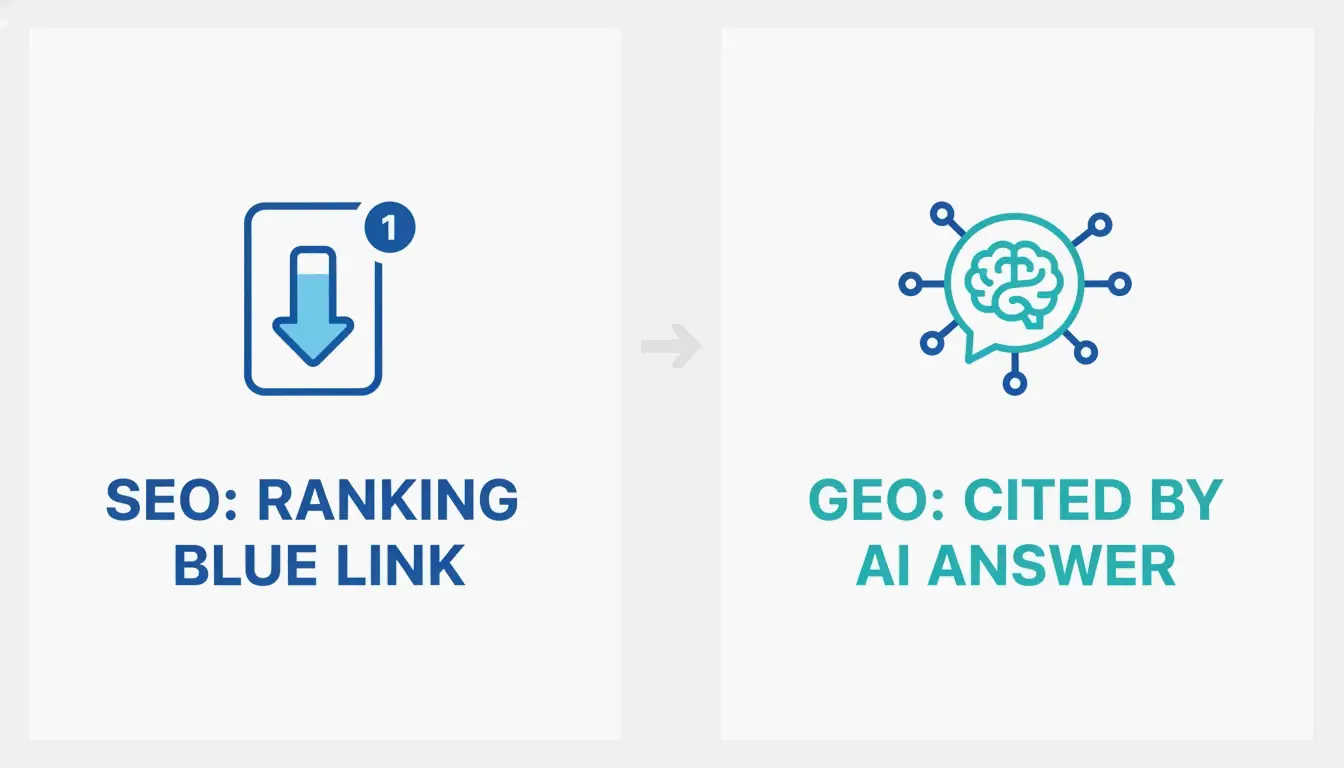
| Goal | Rank in search results | Be cited in AI-generated answers | Own short featured snippets | Be purchased by AI agents |
| Metric | Rankings, impressions, clicks | AI SOV, citation frequency, AI referral traffic | Featured snippet presence | Agent-completed purchases |
| Main Tactic | Keywords, backlinks, on-page optimization | Structured data, product feeds, entity clarity, Q&A content | Direct answers, FAQ schema | Machine-readable pricing, real-time inventory, agentic checkout |
| Key Tool | Semrush, Ahrefs | Schema markup, product feeds, ChatGPT Merchant Program | FAQ schema, structured data | UCP/ACP protocols, Stripe, Shopify Agentic Storefronts |
| Output | Ranked list of links | Curated recommendation within an AI answer | Short, scoped answer | Autonomous transaction |
GEO doesn’t replace SEO. It builds on it. SEO provides the foundation of site health and authority that AI models rely on, but GEO addresses what happens when buyers shift from typing keywords into Google to asking ChatGPT or Amazon Rufus a natural-language question. Both surfaces still drive revenue, and brands that win in 2026 are running both playbooks.
Platform-Specific GEO Playbook: ChatGPT, Google AI Mode, and Amazon Rufus
Each major AI ecosystem has its own protocols, discovery mechanics, and optimization checklist. Optimizing for one without understanding the others leaves visibility on the table.
Optimizing for ChatGPT Shopping Research
ChatGPT uses the Agentic Commerce Protocol (ACP) for shopping-related queries. To get your products recommended in ChatGPT conversations:
- Join the ChatGPT Merchant Program: Apply at chatgpt.com/merchants with your store URL, business contact, and product categories. Shopify merchants can auto-connect through the ChatGPT sales channel.
- Implement complete Product schema: This is the primary way ChatGPT extracts structured data from your PDPs.
- Add FAQPage schema: ChatGPT is built to answer questions. FAQPage schema tells it exactly which questions your product answers.
- Publish an llms.txt file: This plain-text markdown file at your domain root tells AI models which parts of your site to prioritize, including your product feed.
Capturing Google AI Overviews with UCP
Google announced the Universal Commerce Protocol (UCP) in January 2026, backed by Shopify, Etsy, Target, Walmart, Wayfair, and 20+ other retailers and payment providers. UCP powers Google AI Mode in Search and the Gemini app. To optimize:
- Maintain a clean Google Merchant Center feed: No disapproved products, no policy violations, feeds updated within 24 hours.
- Configure the /.well-known/ucp endpoint: This tells Google’s AI systems how to interact with your store.
- Use the new Merchant Center attributes: Google added data attributes designed for conversational commerce, including answers to common product questions, compatible accessories, and substitutes.
- Enable Shopify Agentic Storefronts if you’re on Shopify — this handles UCP integration automatically.
Preparing Your Products for Amazon Rufus
Amazon Rufus handles 13% or more of Amazon searches and is growing. Rufus reads product listings, customer reviews, Q&A sections, and A+ content, cross-referencing them against Amazon’s COSMO Knowledge Graph — its proprietary commonsense reasoning engine for shopping. To optimize for Rufus:
- Complete every backend attribute: Rufus weighs structured attribute completeness heavily.
- Use use-case and context-driven content: Write titles and bullets that answer who, when, where, and why, not just what.
- Encourage detailed reviews: Reviews that include fit context, sizing, comparisons, and use cases improve Rufus recommendation quality.
- Use FAQPage schema on your A+ content and product pages.
Optimizing Product Detail Pages (PDPs) for AI Visibility
AI shopping assistants evaluate PDPs differently than human shoppers. They look for entity clarity, conversational phrasing, and structured data rather than marketing fluff and keyword density.
Rewrite Product Titles for Entity Clarity
Product titles are the most important element for AI visibility. Replace vague, clever titles with descriptive, category-rich alternatives:
- Weak title: “The Cloud-Walker 3000”
- GEO-optimized title: “X-Trail Hiker 3000 — Waterproof Men’s Hiking Boots with Traction Soles”
The AI needs to know exactly what the entity is: brand, product type, key attributes, and use case.
Add a Comprehensive FAQ Section
AI shopping assistants are built to answer questions. Add a dedicated FAQ section to every top PDP using FAQPage schema. Source questions from your support tickets, chat transcripts, and customer service logs — these are the questions AI will pull from your page. Use <h3> tags for questions and provide direct, 2-3 sentence answers beneath them.
Structure Product Descriptions for Machine Reading
AI models parse content hierarchically. Use clear subheadings, bullet points for specifications, and bold text for key data. Use the inverted pyramid: put the most important information first, then details. The first 50 words should act as an elevator pitch for the AI, clearly stating what the product is, who it is for, and what problem it solves.
The 5-Point PDP Checklist for AI Coverage
- Descriptive H1 and summary paragraph: Immediately state what the product is and who it is for.
- Bulleted “Quick Facts” section: Dimensions, material, compatibility, warranty, care instructions.
- Use-case-driven content: Add an “Perfect For” section addressing specific scenarios.
- FAQ section with FAQPage schema: Real customer questions with direct answers.
- Trust signals: Verified reviews, AggregateRating schema, and any author credentials.
The 30-Day GEO Implementation Plan (From Audit to Launch)
Here’s a detailed, week-by-week action plan for a small-to-mid-size ecommerce team.
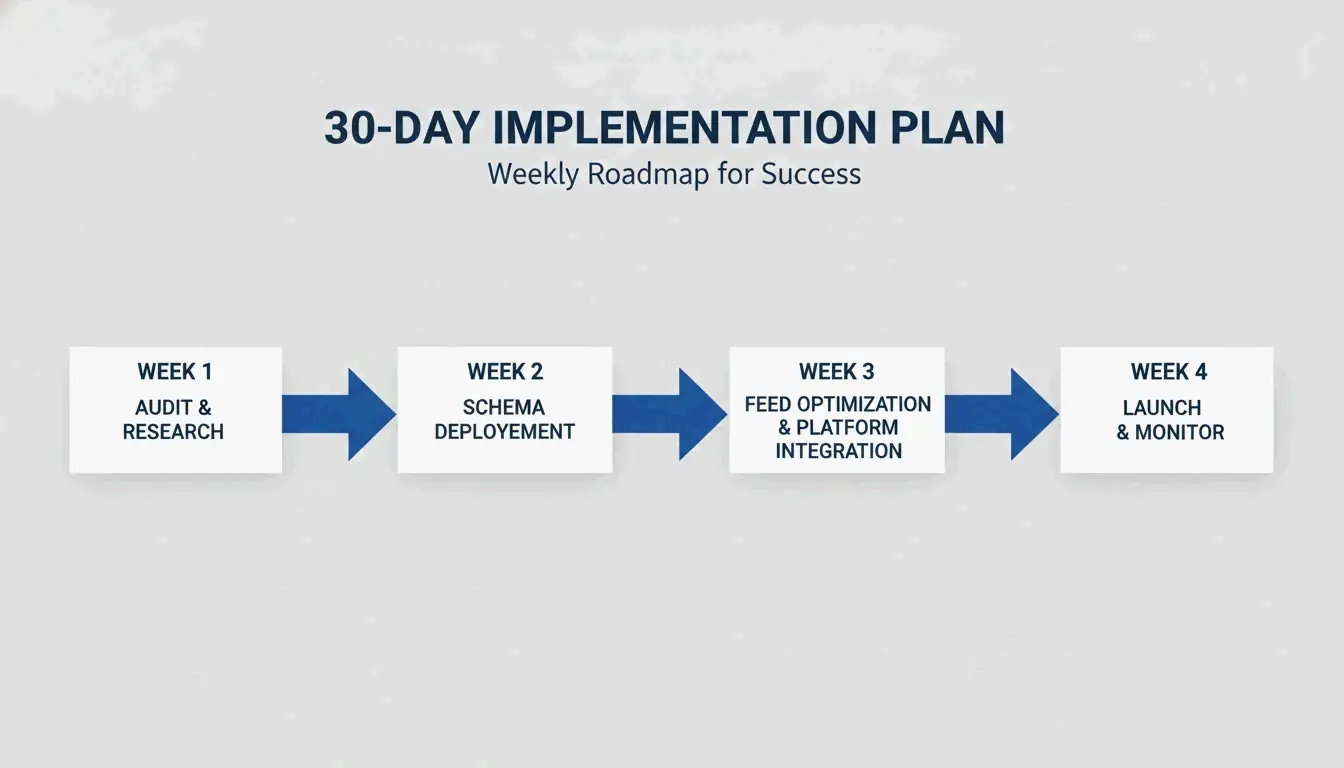
Week 1: Assessment & Architecture
Days 1-2: Audit your robots.txt. Check your file for blocked AI crawlers. Explicitly allow GPTBot, OAI-SearchBot, PerplexityBot, ClaudeBot, and Google-Extended.
Days 3-5: Run a schema audit. Use Google’s Rich Results Test on your top 20 PDPs. Validate that Product, Offer, AggregateRating, and FAQPage schemas are present and error-free.
Days 6-7: Create a manual prompt audit log. Write 20-30 high-intent shopping queries in your category (e.g., “best running shoes for flat feet under $100”). Run them through ChatGPT, Perplexity, and Google AI Mode. Log whether your brand appears and which competitors show up instead.
Key output: A baseline SOV report showing how often your brand appears in AI answers versus competitors.
Week 2: Schema & Data Structure Rollout
Days 8-11: Deploy Product, Offer, and AggregateRating schemas on all PDPs. Use JSON-LD format. Include all required fields (name, image, description, brand, offers) and recommended fields (aggregateRating, gtin, review).
Days 12-14: Add FAQPage schema to your top 20 PDPs. Use the five questions your support team answers most often for each product.
Day 14: Publish an llms.txt file at the root of your domain (yourstore.com/llms.txt). Include:
– Your store name and a brief description
– Links to your product feed (JSON) and sitemap
– Links to buying guides and policy pages (shipping, returns, warranty)
# Your Store Name
A short description of what you sell and who it is for.

## Products
- [Product Feed](https://yourstore.com/products.json)
- [Sitemap](https://yourstore.com/sitemap.xml)

## Buying Guides
- [Fit Guide](https://yourstore.com/guides/fit-guide)
- [Care Instructions](https://yourstore.com/guides/care)

## Policies
- [Shipping](https://yourstore.com/shipping)
- [Returns](https://yourstore.com/returns)
Key output: Complete schema deployment on top PDPs, working llms.txt file.
Week 3: Feed & Platform Integration
Days 15-18: Optimize your product feed for Google Merchant Center and ChatGPT Merchant Program. Prioritize GTIN, MPN, and full attributes (material, color, size, capacity, weight). Ensure pricing and availability reflect current inventory.
Days 19-21: Submit to ChatGPT Merchant Program. Apply at chatgpt.com/merchants. If you are on Shopify, enable the ChatGPT sales channel for auto-connection.
Days 21-22: Configure UCP if applicable. For Shopify merchants, enable Agentic Storefronts. For other platforms, configure the /.well-known/ucp endpoint.
Key output: Clean product feed submitted to major AI shopping platforms.
Week 4: Launch, Test & Measure
Days 23-25: Deploy PDP rewrites. Rewrite the H1s and first 50-word summaries for your top 20 PDPs using entity-clear language. Add use-case-driven sections (“Perfect For”) and FAQ sections.
Days 26-28: Activate monitoring. Start tracking AI SOV using your prompt audit log. Run your 20-30 prompts weekly and document results.
Days 29-30: Baseline measurement. Compare your initial SOV report against a post-deployment report. Identify which optimizations moved the needle. Set up a monthly rhythm for ongoing GEO visibility tracking.
Key output: Deployed PDP rewrites, active SOV tracking, baseline measurement established.
Traditional SEO metrics (rankings, organic traffic) only tell part of the story in a generative world. Since AI search is often zero-click — users get their answers in the chat interface — you need new indicators.
Step 1: Build Your Prompt Library
Create a list of 30 high-intent product queries in your category. Include a mix of branded and unbranded queries at different funnel stages (awareness, consideration, purchase). Examples:
- “Best [product] for [use case] under [price]”
- “[Brand] [product] review”
- “What is the best [product] for [specific need]”
Step 2: Track AI SOV with a Weekly Audit
Run your prompt library through ChatGPT, Perplexity, and Google AI Mode every week. Log results in a simple spreadsheet:
| Prompt | AI Platform | Brand Cited (Y/N) | Product Mentioned? | Competitor Cited | AI Referral Traffic? | Notes |
|---|---|---|---|---|---|---|
| “Best running shoes for flat feet” | ChatGPT | Y | Brand A Model X | Competitor B | 0 | Cited on day 3 of audit |
AI Share of Voice is the percentage of prompts in which your brand is cited versus your competitors. If your competitor appears in 8 of 30 prompts and you appear in 2, your SOV is 6.7% versus 26.7%. Your goal is to close that gap.
Step 3: Monitor AI Referral Traffic in Analytics
Add UTM parameters to your tracked URLs and monitor referral sources in your analytics platform. Track traffic from:
ai.search.googleandroid-app://com.openai.chatgptperplexity.aiclaude.aichatgpt.com
This AI-referred traffic often converts at a higher rate because the AI has already pre-qualified the buyer. Segment its conversion rate compared to traditional organic traffic, and report the difference as part of your GEO ROI narrative.

GEO on a Shoestring: A Budget-Friendly Starter Playbook for Small Ecommerce Teams
If you’re a small team with limited resources, you don’t need a big budget to start seeing GEO results. Here are zero-cost or low-cost actions you can take this week.
Free Tools to Use
- Google Rich Results Test: Validate your schema for free.
- Manual prompt testing: Use chat.openai.com, perplexity.ai, and copilot.microsoft.com to test visibility.
- Google Search Console: Monitor AI Overview traffic and identify which pages are being cited.
- UTM builder: Create and track AI referral links for free.
High-Impact, Low-Cost Actions
- Add Product + AggregateRating schema to your top 10 PDPs. This is the highest-impact schema deployment you can make without hiring a developer. Use Google’s Structured Data Markup Helper or Merkle’s Schema Markup Generator.
- Add FAQPage schema to your PDPs manually. Repurpose existing product descriptions and support questions into FAQ entries. No coding required — add a simple JSON-LD block to your page template.
- Publish an llms.txt file manually. This is a plain-text markdown file. Create it in 10 minutes and upload it to your domain root via FTP or your CMS file manager.
- Audit your robots.txt for AI crawler blocks. Check your file at yourstore.com/robots.txt and unblock GPTBot, Google-Extended, PerplexityBot, and ClaudeBot if they are disallowed.
- Set up a manual SOV audit. Spend 30 minutes per week running 10 prompts and logging results in a spreadsheet. This costs nothing and provides your baseline.
The Weekend GEO Project Checklist
Complete these 10 tasks in 48 hours:
- [ ] Check robots.txt for AI crawler blocks
- [ ] Validate Product schema on top 5 PDPs with Rich Results Test
- [ ] Add FAQPage schema to one PDP manually
- [ ] Write a descriptive product summary (first 50 words) for one product
- [ ] Add alt text and semantic filenames to one product image
- [ ] Create an llms.txt file and upload it
- [ ] Identify the 5 most-asked support questions for your top product
- [ ] Run 10 prompts through ChatGPT and log SOV
- [ ] Add UTM parameters to tracked URLs
- [ ] Set up a weekly SOV audit template
Essential GEO Tools and Key Resources
Schema Implementation Tools
- Google Rich Results Test: Validate your structured data for free.
- Merkle’s Schema Markup Generator: Build JSON-LD schema without coding.
- Yoast SEO (WordPress): Built-in schema generation for product pages.
- Google’s Structured Data Testing Tool: Legacy tool for in-depth validation.
Feed Management Tools
- Feedonomics (BigCommerce): Sync and enrich product data across Google, Meta, TikTok, and more.
- DataFeedWatch: Centralized feed management for multiple channels.
- GoDataFeed: Feed optimization and syndication for ecommerce.
- Google Merchant Center: Native feed management for Google surfaces.
Monitoring Tools
- Google Search Console: Track AI Overview traffic and schema coverage.
- Manual prompt audit sheets: The most accessible tool for small teams.
Emerging Platforms
- Presta: RAG-based AI shopping agent implementation for ecommerce.
- Mirakl (Agentic Activation): Direct integration with LLM platforms for in-chat transactions, including automated pricing, inventory, and promotions sync.
Conclusion: Securing Your AI Shelf Space Today
GEO isn’t an optional experiment. It’s a fundamental shift in how ecommerce brands get discovered in a post-search-engine world. The data is clear: search volume is declining, AI shopping adoption is accelerating, and brands that invest in structured data, product feed quality, and conversational content are already winning AI visibility.
Start your GEO journey this week. Conduct a 5-prompt SOV audit. Check your robots.txt for AI crawler access. Deploy Product schema on your top-selling PDPs. The 30-day plan in this playbook gives you a clear path forward — follow it, and you’ll be ahead of the vast majority of ecommerce brands still waiting to act.
The AI is already talking about your products. The question is whether you’re controlling the narrative.
Related reading: For industry-specific GEO strategies, see GEO for DTC Brands.
FAQ
Do I need to rewrite all product descriptions specifically for GEO?
Not necessarily. Focus on adding structured data (FAQPage schema, Product schema) and ensuring descriptions answer common questions. Rewriting is most effective for the top 20% of products by revenue. For smaller teams, prioritize schema implementation over description rewrites.
How can I start GEO optimization without increasing my budget?
Use free tools like Google Rich Results Test and manual prompt testing on ChatGPT. Add an llms.txt file manually. Prioritize high-impact schemas (Product + AggregateRating) without hiring a developer. The “GEO on a Shoestring” section in this article provides a complete low-cost starting point.
How long does it take to see results from GEO optimization?
Initial detection can happen in weeks if schema is correct, but meaningful AI SOV improvements typically take 4 to 8 weeks. Your visibility depends on AI crawler frequency, your site’s authority, and competitor activity. Use a weekly manual audit to track your progress and adjust your strategy.
